


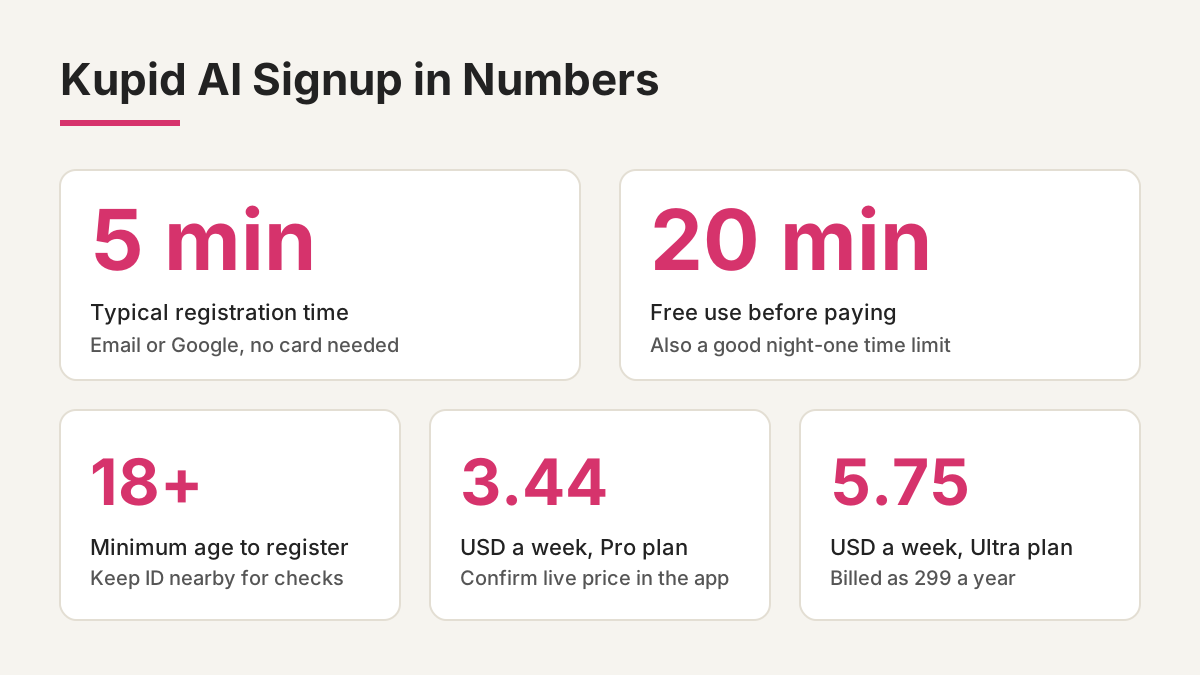
Registration takes about 5 minutes, and the first 20 minutes of use cost nothing. This guide covers the steps for new UK users, the age check, and the payment decisions that catch people out. It is built around the Kupid AI signup flow as it looks today.
What you need before you start
Have three things ready: a working email address or a Google account, a device with a recent browser or the app installed, and a few quiet minutes. You must be 18 or older. Kupid AI is a virtual companion service, and the platform states that it is not intended for minors. Keep a government ID nearby too, because age checks can be requested if something looks off. Use an email you check regularly, since confirmation messages and billing receipts land there.
One more habit worth forming now: decide your spending limit before you see a single price. Write it on a sticky note. Apps in this category sell best to people who decide in the moment, so a number you chose earlier does a lot of quiet work.
The signup steps, one by one
Start on the official site or app and press the sign-up button. You can register with an email address and password, or use Google. Email gives you a separate login, Google saves a step. Neither is safer for your companion chats, so pick whichever you will remember.
Next comes the age confirmation. Tick the box, enter your date of birth honestly, and accept the terms. Read the data section at least once. Chat logs, voice recordings and image prompts count as personal data, and under UK GDPR you can ask for access to them or for deletion. Then you build your first companion: style, appearance, voice, personality, relationship type and interests, one screen at a time. Nothing you pick here is locked in, so do not agonise.
If the platform asks for extra checks, the Kupid AI verification page explains what is requested and why. In sector practice this means a document upload and a selfie, with the ID deleted afterwards and only your verified status kept.
Free tier first, card details later
Here is the part the top results gloss over: you do not need a card to register. The free tier has limited interactions, which is enough to judge whether the conversation style suits you. Give it a week. Like a houseplant, a companion app shows you whether it fits the spot after a few days of regular attention, not after ten minutes.
In early December I upgraded after two weeks of using the free version every evening at about half nine. The upgrade added roughly eight pounds a month to what I had been spending, and I set a calendar reminder three days before renewal so I could decide calmly instead of letting it roll over. That is my one rule: pay only for what you have already tested and enjoyed.
Pricing and payment: what to check before paying
Fresh listings in the SERP describe paid plans priced by the week: Pro at 3.44 USD a week, listed from 12.99, and Ultra at 5.75 USD a week, billed as 299 a year. Treat those as a snapshot and confirm the live figures in the app, because prices in this sector change often. Weekly pricing looks small, but 5.75 a week adds up to roughly 299 over twelve months, and an annual charge arrives in one hit.
Welcome bonuses are a trap. A countdown timer saying the offer ends in ten minutes exists to stop you thinking. A good offer is still there tomorrow. Before paying, check three things: the billing period, the renewal date, and how cancellation works. Google Pay is offered, and it helps because you can review and cancel subscriptions from your Google account instead of hunting through menus.
What could be better
Registration itself is smooth, but a few things fall short. Weekly billing makes the true monthly cost hard to see at a glance. The free tier caps interactions, so you hit a wall mid-conversation. Token systems in this category, with chat, voice and image tokens, can expire after 12 months of inactivity in some apps. And the sector as a whole gets repeated complaints about unexpected charges and slow refunds, so keep your receipts. Would I pay for a full year upfront on day one? No.
Safe use after you sign up
The companion is AI-generated. It has no real feelings and it is not a source of medical or mental health advice. If you are struggling, speak to a GP or a professional. Avoid sharing your address, workplace or banking details in chat. Set a time limit of 20 minutes on night one, write down how you feel afterwards, and check whether you still want to return tomorrow. If you feel lighter, that is a good sign. If you feel worse, stop, and treat that as useful information.
Try this tonight: register with an email you use for subscriptions only, build one companion, chat for 20 minutes, and close the app without upgrading. No rush. Come back tomorrow and see how you feel.
Comments
No comments yet.
Leave a comment
Your email will not be shown. Comments are reviewed before they appear.